


- Brief Us
- hello@redearthdesigns.com.au
Tel. 1300 980 406
- Our Office
- Level 1 / 28 Orsmond Street, Hindmarsh, South Australia 5007
Interactive display development
Interactive Digital Displays
Help people explore, find their way and access useful information. Red Earth develops touchscreen interfaces and interactive software, with display hardware supplied by Metromatics.
Interactive experiences
Let people explore
at their own pace.
An interactive display turns a screen into something people can use: searching records, finding their way or exploring a place or story in as much depth as they like.
We design and develop the software and content behind touchscreen displays for businesses, councils, museums and community spaces, with the display hardware supplied by Metromatics.
What we develop
Interactive display development.
From the touch interface to the system that keeps it up to date.
-
Digital wayfinding and directories
Create an interface that helps visitors find destinations, facilities and information. We design the navigation and content around the setting and the people using it.
Digital wayfinding and directories -
Visitor and destination information
Present local destinations, activities and useful information through an interactive experience. Connected content can be managed through a suitable portal or integrated system.
-
Custom controls and connected content
Develop the software behind the interface, including content management, data connections and controls suited to the project.
-
Hardware and platform approach
We can build with Fusion or PADS4 where appropriate, or use our own software. Metromatics supplies the hardware; Red Earth develops the interface and software.
Signage software and data integration
Built for public spaces
A public touchscreen is not
a website on a big screen.
Interactive displays run unattended, are used by people of all ages and abilities, and have to recover by themselves. We design the interface and the software specifically for that environment.
Project experience
Interactive projects we can draw on.
Two wayfinding projects delivered under the LaunchPADS name, alongside our own Balonne memorial work below. The original partners are credited.
-
Frankston City Council
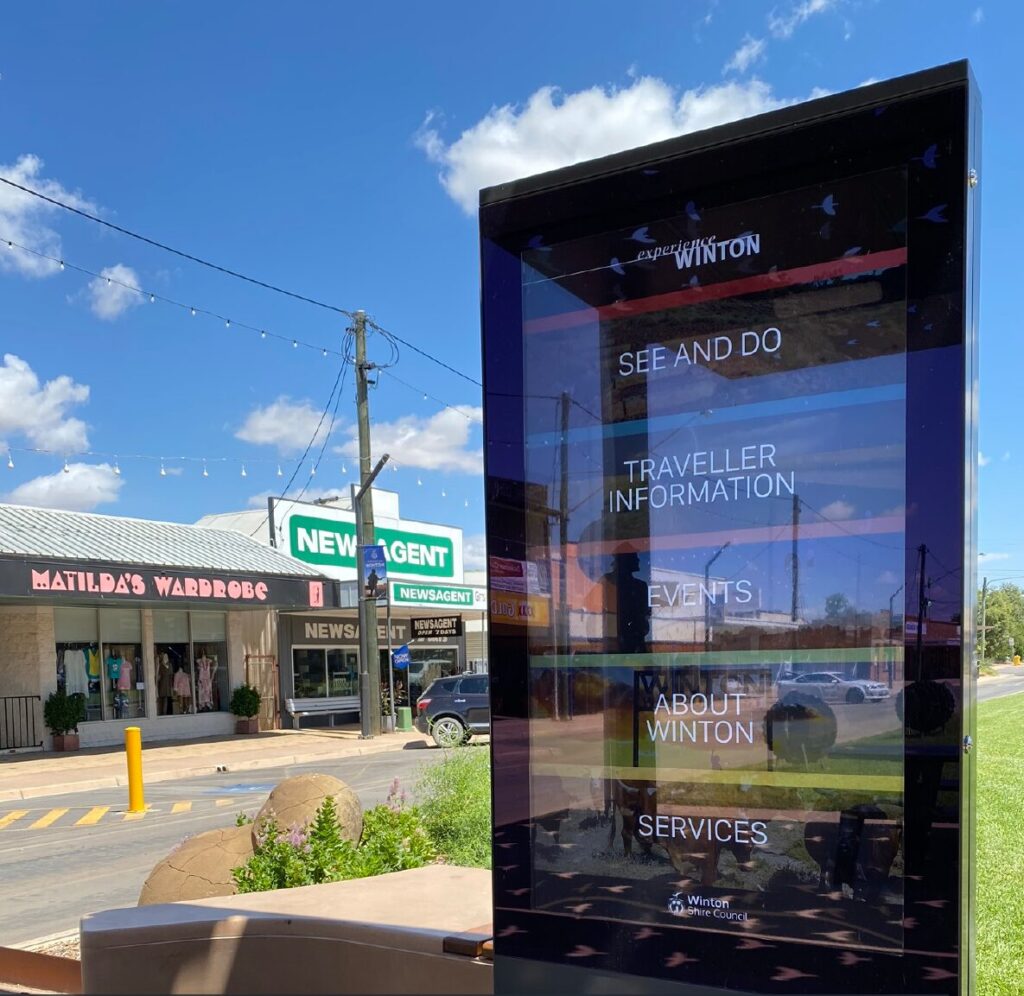
Touchscreen wayfinding for visitors to the Frankston region, with content managed remotely through a custom web portal. Delivered by LaunchPADS on a touchscreen supplied by Metromatics, 2020.
Digital wayfinding -
Portside Wharf
An interactive directory for a waterfront retail precinct in Hamilton, Queensland. Metromatics resolved a hardware issue with the display and supplied PADS4; LaunchPADS created the content and PADS4 presentation, 2018.
Case study
An interactive memorial for Balonne Shire.
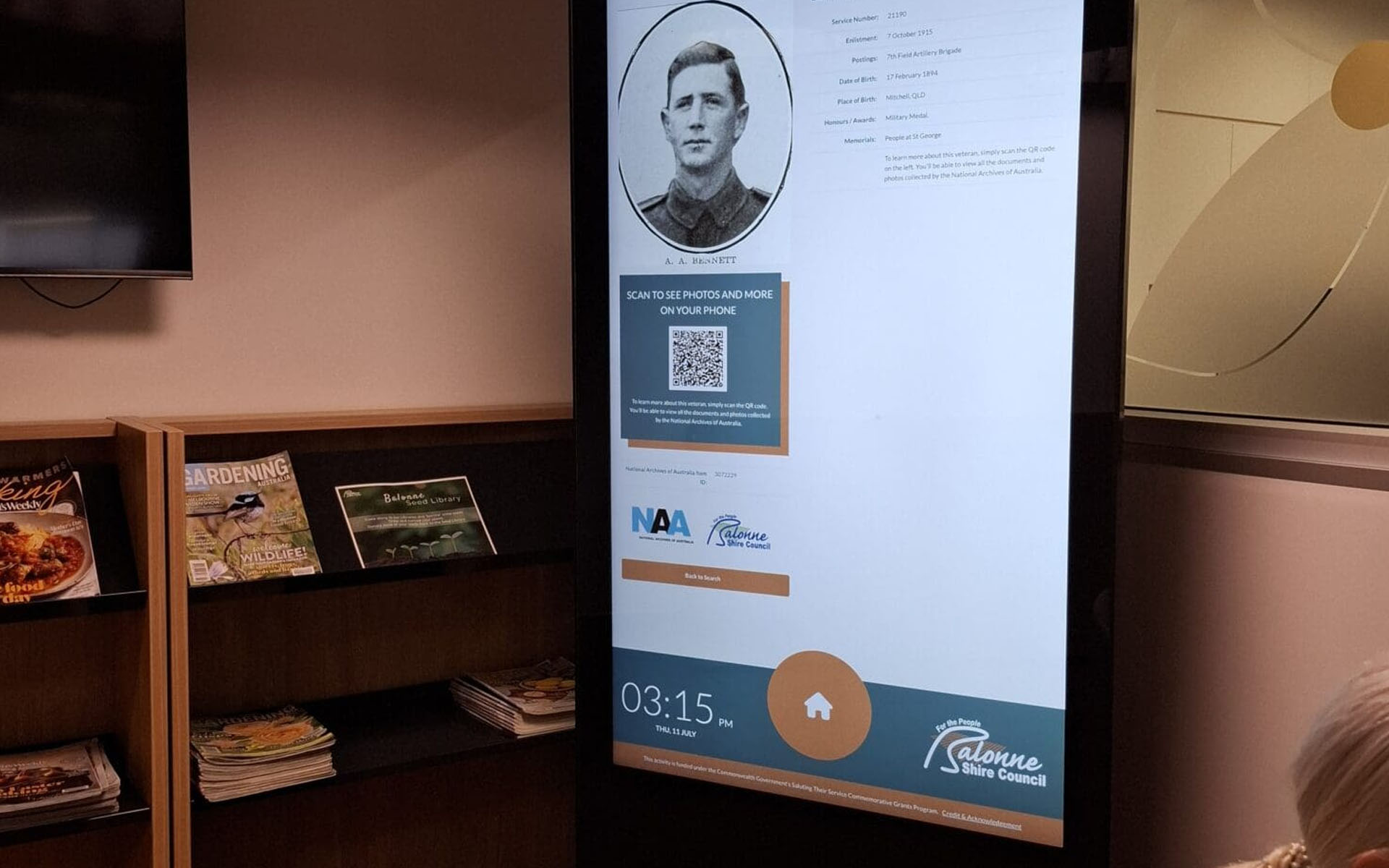
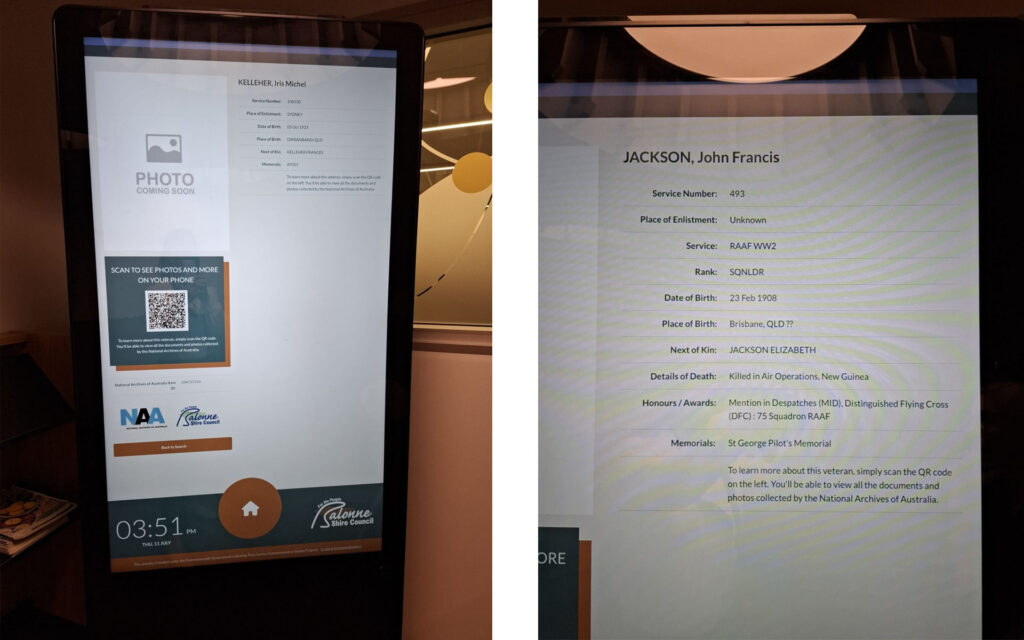
Working with Metromatics, we developed the interactive war memorial for Balonne Shire. Visitors use a touchscreen kiosk to explore the records, and council staff manage the content through a custom CMS, importing records from an Excel mail merge.
The kiosk resets after inactivity, runs on a timed schedule, offers QR codes linking to documents and blocks open internet browsing. It’s hosted on our servers for remote updates.
Practical requirements
What we plan with you.
Every interactive display is different, so these requirements are agreed with you during discovery.
-
Users and setting
Who will use the display, where it will be and what they need to find, do or learn.
-
Placement and hardware
The screen’s position, orientation and surroundings, and the display hardware Metromatics will supply for it.
-
Content and ownership
Who owns the content, who keeps it up to date and how changes are approved.
-
Updates and connectivity
How content will be updated, the network connection available on site and what should happen if it drops out.
-
Accessibility
Reach, text size, contrast and other needs of the people using the display, agreed for the specific project.
-
Testing
Testing the interface and content on the agreed hardware before the display is opened to the public.
FAQs
Frequently asked questions
Common questions about interactive displays.
What’s the difference between digital signage and an interactive display?
Digital signage shows content to people passively, like a moving poster. An interactive display lets people touch the screen to search, browse and explore. Many projects combine both.
Can visitors browse the internet on the display?
Not unless you want them to. The interface can be set up so visitors stay within the experience you’ve designed. The Balonne memorial kiosk, for example, blocks open internet browsing.
How do we update the content?
Through a content management approach agreed for your project, such as a custom portal or a platform like PADS4. Records for the Balonne memorial, for example, can be imported in bulk from a spreadsheet and updated remotely.
Do you provide the hardware?
Metromatics supplies the display hardware; Red Earth develops the interface and software. The proposal sets out each party’s responsibilities.
Can you develop custom software for the display?
Yes. Depending on the project we can build with Fusion or PADS4, or develop using our own software. Our software engineering team builds the interfaces and integrations behind the display.
Start a project
Tell us about your space and
the experience you want to create.
We’ll help you plan the interface, the content and how it will be managed, and coordinate the display hardware with Metromatics.